
I have installed Ubuntu on my windows via wsl. I have followed this guide:
Currently the GUI is being opened in frame, but i want to make it open in full screen mode. Is there any chance i can do it?
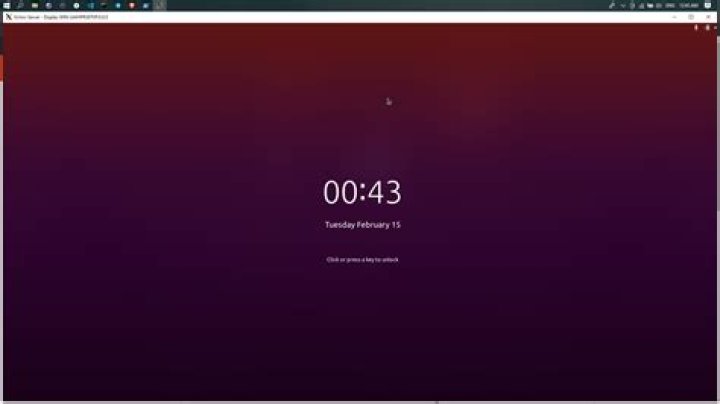
screenshot of VcXsrv Here is the script to launch VcXsrv :
' define variables dim application_object, shell_object, userprofile, command_object, standard_output_string ' create application object set application_object = createobject("shell.application") ' create shell object set shell_object = createobject("wscript.shell") ' store environment variable username = shell_object.expandenvironmentstrings("%username%") ' run powershell in the background application_object.shellexecute "powershell", "-file c:\users\" & username & "\.ubuntu\scripts\reload_vcxsrv.ps1", "", "", 0 ' wait for powershell script to complete wscript.sleep 3000 ' create command object set command_object = shell_object.exec("wsl genie --is-in-bottle") ' store standard output standard_output = command_object.stdout.readall ' execute contents if shell is inside the genie container if instr(standard_output, "inside") > 0 then ' run bash script shell_object.run "bash /mnt/c/users/" & username & "/.ubuntu/scripts/start_desktop.sh", 0 ' execute contents if shell is outside the genie container else ' run bash script shell_object.run "wsl genie -c bash /mnt/c/users/" & username & "/.ubuntu/scripts/start_desktop.sh", 0 end if 1 Answer
For starters, that doesn't look like the script that starts VcXsrv. According to the blog post you referenced, that's found here, and is:
# stop vcxsrv proccess that contains "0.0" in the program window title get-process vcxsrv | where { $_.mainwindowtitle -like "*0.0*" } | stop-process # start vcxsrv process in a large program window on display number one start-process "c:\program files\vcxsrv\vcxsrv.exe" -argument ":0.0 -ac -nowgl -multimonitors -dpms" Second, according to the VcSrv docs, the commandline option -fullscreen is what you are looking for.
Try modifying the script above and adding -fullscreen to the commandline.