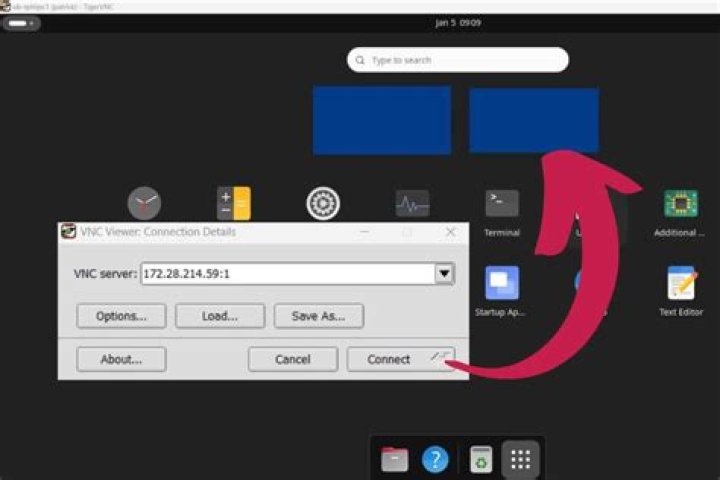
I installed TightVNC on a Ubuntu20.04* machine in order to use it remotely from my macbook pro. I have followed this tutorial,
And it works with the fce4 desktop. However I have a black screen whenever I try to use the gnome desktop with it: I tried to change the config follwing this issue, but nothing seems to work.
Here is ~/.vnc/xstartup
#!/bin/sh unset SESSION_MANAGER unset DBUS_SESSION_BUS_ADDRESS export XKL_XMODMAP_DISABLE=1 export XDG_CURRENT_DESKTOP="GNOME-Flashback:GNOME" export XDG_MENU_PREFIX="gnome-flashback-" [ -x /etc/vnc/xstartup ] && exec /etc/vnc/xstartup [ -r $HOME/.Xresources ] && xrdb $HOME/.Xresources xsetroot -solid grey vncconfig -iconic & gnome-session --builtin --session=gnome-flashback-metacity --disable-acceleration-check --debug & nautilus & gnome-terminal & my /etc/systemd/system/vncserver@.service
[Unit] Description=Start TightVNC server at startup After=syslog.target network.target [Service] Type=forking User=ben Group=ben WorkingDirectory=/home/ben PIDFile=/home/ben/.vnc/%H:%i.pid ExecStartPre=-/usr/bin/vncserver -kill :%i > /dev/null 2>&1 ExecStart=/usr/bin/vncserver -depth 24 -geometry 1280x800 -localhost :%i ExecStop=/usr/bin/vncserver -kill :%i [Install] WantedBy=multi-user.target And the service file /etc/systemd/system/vncserver@.service
[Unit] Description=Start TightVNC server at startup After=syslog.target network.target [Service] Type=forking User=ben Group=ben WorkingDirectory=/home/ben PIDFile=/home/ben/.vnc/%H:%i.pid ExecStartPre=-/usr/bin/vncserver -kill :%i > /dev/null 2>&1 ExecStart=/usr/bin/vncserver -depth 24 -geometry 1280x800 -localhost :%i ExecStop=/usr/bin/vncserver -kill :%i [Install] WantedBy=multi-user.target The sudo systemctl status vncserver@1 command returns:
● - Start TightVNC server at startup Loaded: loaded (/etc/systemd/system/vncserver@.service; enabled; vendor preset: enabled) Active: inactive (dead) since Mon 2021-02-22 12:26:43 CET; 4min 53s ago Process: 11916 ExecStop=/usr/bin/vncserver -kill :1 (code=exited, status=0/SUCCESS) Main PID: 1235 (code=exited, status=0/SUCCESS) Feb 22 12:01:51 ben-monster gnome-session-binary[1305]: WARNING: App 'org.gnome.Shell.desktop' exited with code 1 Feb 22 12:01:51 ben-monster gnome-session-b[1305]: unable to create file '/home/ben/.cache/dconf/user': Permission denied. dconf will not work properly. Feb 22 12:01:51 ben-monster gnome-session[1305]: gnome-session-binary[1305]: CRITICAL: We failed, but the fail whale is dead. Sorry.... Feb 22 12:01:51 ben-monster gnome-session-binary[1305]: WARNING: App 'org.gnome.Shell.desktop' respawning too quickly Feb 22 12:01:51 ben-monster gnome-session-binary[1305]: Unrecoverable failure in required component org.gnome.Shell.desktop Feb 22 12:01:51 machine-name gnome-session-binary[1305]: CRITICAL: We failed, but the fail whale is dead. Sorry.... Feb 22 12:26:43 machine-name org.gtk.vfs.Daemon[1913]: A connection to the bus can't be made Feb 22 12:26:43 machine-name vncserver[11916]: Killing Xtigervnc process ID 1235... which was already dead Feb 22 12:26:43 machine-name vncserver[11916]: Cleaning stale pidfile '/home/ben/.vnc/machine-name:1.pid'! Feb 22 12:26:43 machine-name systemd[1]: : Succeeded. Furthermore, I Have the error message on my blackscreen:
Could not update ICEAuthority file /run/-/user//-ICEAuthority
It is probably a config or a rights error, but after two days of playing around, I am starting to lose faith.
22 Answers
I just followed your configuration with few changes and I think I got what your want in the end:
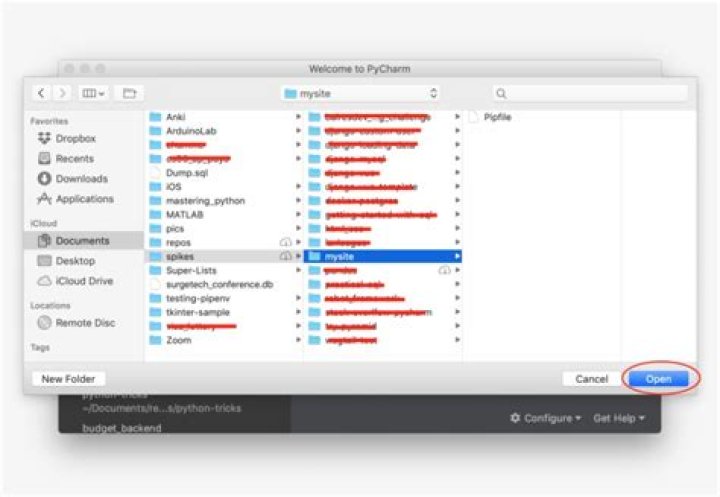
. My changes were:
I fixed the line:
ExecStartPre=-/usr/bin/vncserver -kill :%i > /dev/null 2>&1 by
ExecStartPre=/usr/bin/vncserver -kill :%i > /dev/null 2>&1 whitout the '-' character before /usr/bin
In addition to this, I changed the references to the name of the user from 'ben' to my user in:
User=ben Group=ben WorkingDirectory=/home/ben PIDFile=/home/ben/.vnc/%H:%i.pid Thus, my file ended up as:
User=my_user Group=my_user WorkingDirectory=/home/my_user PIDFile=/home/my_user/.vnc/%H:%i.pid Assuming that your user actually is ben, I think you have some files with limited permitions on /home/ben home folder. You can check this question for details about fix it. Maybe you need to give the ownership of files in this directory to the user ben using the command chown or just change the permition using chmod.
I got it with uncommenting "WaylandEnable=false" from /etc/gdm3/custom.conf
Then
sudo apt update sudo apt install xserver-xorg-video-dummy sudo cp /etc/X11/xorg.conf /etc/X11/xorg.conf.bak # this file may not exist so if there is an error, it can be ignored sudo cp /etc/X11/vncserver-virtual-dummy.conf /etc/X11/xorg.conf Note: Following these steps will result in any connected monitors displaying a blank screen. If you need to use a monitor, run sudo mv /etc/X11/xorg.conf /etc/X11/xorg.conf.dummy and reboot
0