
Today on Ubuntu 18.04.5 I tried to update the nvidia driver using sudo ubuntu-drivers install which led to the following output:
Reading package lists... Done Building dependency tree Reading state information... Done Some packages could not be installed. This may mean that you have requested an impossible situation or if you are using the unstable distribution that some required packages have not yet been created or been moved out of Incoming. The following information may help resolve the situation: The following packages have unmet dependencies: nvidia-driver-450-server : Depends: libnvidia-gl-450-server (= 450.51.06-0ubuntu0.18.04.2) but it is not going to be installed Depends: libnvidia-compute-450-server (= 450.51.06-0ubuntu0.18.04.2) but it is not going to be installed Depends: libnvidia-extra-450-server (= 450.51.06-0ubuntu0.18.04.2) but it is not going to be installed Depends: nvidia-compute-utils-450-server (= 450.51.06-0ubuntu0.18.04.2) but it is not going to be installed Depends: libnvidia-decode-450-server (= 450.51.06-0ubuntu0.18.04.2) but it is not going to be installed Depends: libnvidia-encode-450-server (= 450.51.06-0ubuntu0.18.04.2) but it is not going to be installed Depends: nvidia-utils-450-server (= 450.51.06-0ubuntu0.18.04.2) but it is not going to be installed Depends: xserver-xorg-video-nvidia-450-server (= 450.51.06-0ubuntu0.18.04.2) but it is not going to be installed Depends: libnvidia-cfg1-450-server (= 450.51.06-0ubuntu0.18.04.2) but it is not going to be installed Depends: libnvidia-ifr1-450-server (= 450.51.06-0ubuntu0.18.04.2) but it is not going to be installed Depends: libnvidia-fbc1-450-server (= 450.51.06-0ubuntu0.18.04.2) but it is not going to be installed Recommends: libnvidia-compute-450-server:i386 (= 450.51.06-0ubuntu0.18.04.2) Recommends: libnvidia-decode-450-server:i386 (= 450.51.06-0ubuntu0.18.04.2) Recommends: libnvidia-encode-450-server:i386 (= 450.51.06-0ubuntu0.18.04.2) Recommends: libnvidia-ifr1-450-server:i386 (= 450.51.06-0ubuntu0.18.04.2) Recommends: libnvidia-fbc1-450-server:i386 (= 450.51.06-0ubuntu0.18.04.2) Recommends: libnvidia-gl-450-server:i386 (= 450.51.06-0ubuntu0.18.04.2) E: Unable to correct problems, you have held broken packages. I then ran sudo ubuntu-drivers list and got the following output:
nvidia-driver-435 nvidia-driver-440-server nvidia-driver-418-server nvidia-driver-450-server Anyone have any clue why it is trying to install a server version of the driver? I already have a normal nvidia driver installed and working fine.
Also, I noticed the following weirdness: sudo apt-cache depends nvidia-driver-440 output:
nvidia-driver-440 Depends: nvidia-driver-450 Why would an old driver depend on a new driver? Seems totally wrong to me. Is this NVidia's weird way of forcing people to upgrade their driver or something?
72 Answers
You tried to run the wrong command. The correct command to run is as follows:
sudo ubuntu-drivers autoinstall sudo reboot The autoinstall command of ubuntu-drivers installs drivers that are appropriate for automatic installation including their dependencies.
The E: Unable to correct problems, you have held broken packages. error message could also be caused by a PPA that you have added to your software sources if sudo apt ubuntu-drivers autoinstall doesn't work.
I don't know where why you have this this bug the the recommended installation is from the ppa.
Try to install the latest version from ppa :
$ sudo add-apt-repository ppa:graphics-drivers $ sudo apt-get update $ sudo ubuntu-drivers autoinstall Check the proposed drivers with :
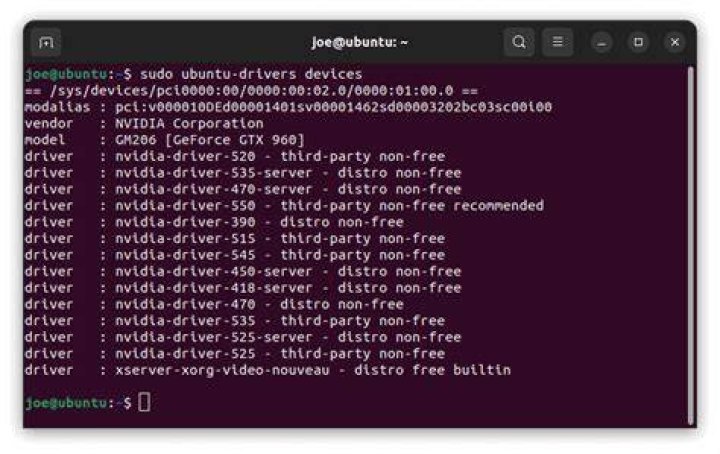
$ sudo ubuntu-drivers devices If the 455 is the recommended version run :
$ sudo ubuntu-drivers autoinstall Alternatively, install desired driver selectively using the apt command. For example:
$ sudo apt install nvidia-450 If you have some trouble, purge the old installation before installing new driver :
$ sudo apt purge nvidia-*