I've recently installed Xubuntu and can get the wifi working... for about at most 5 minutes at a time, after which point it claims to still be connected, but all attempts to visit any web page will result in a timeout.
I am able to restart wifi using:
sudo rfkill block wifi sudo rfkill unblock wifi Where it will then work again for a couple of minutes and then promptly die again. It may be related to the amount of data being downloaded - it seems to perish much faster when using YouTube than when doing regular browsing (I have yet to be able to watch a YouTube video longer than four minutes all the way through without the wifi dying several times)
Some info about my wifi stuff:
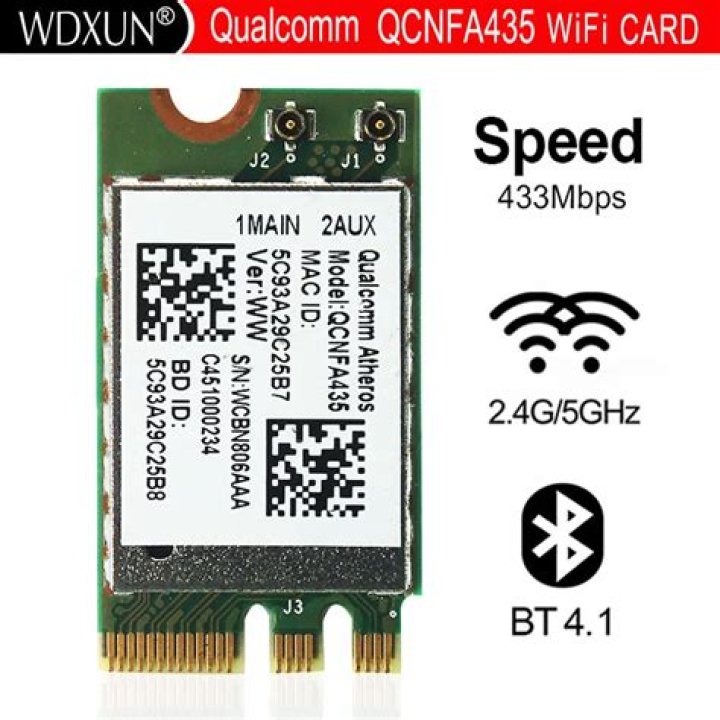
*-network description: Wireless interface product: QCA6164 802.11ac Wireless Network Adapter vendor: Qualcomm Atheros physical id: 0 bus info: pci@0000:02:00.0 logical name: wlp2s0 version: 20 serial: 30:52:cb:60:78:af width: 64 bits clock: 33MHz capabilities: pm msi pciexpress bus_master cap_list ethernet physical wireless configuration: broadcast=yes driver=ath10k_pci driverversion=4.4.0-22-generic firmware=atheros-12.0.0.102-fw ip=192.168.1.79 latency=0 link=yes multicast=yes wireless=IEEE 802.11abgn resources: irq:37 memory:f0800000-f09fffff A dump from dmesg wlp2s0 (I have no idea what any of this means):
[ 38.913053] ath10k_pci 0000:02:00.0 wlp2s0: renamed from wlan0 [ 38.945352] IPv6: ADDRCONF(NETDEV_UP): wlp2s0: link is not ready [ 40.248440] IPv6: ADDRCONF(NETDEV_UP): wlp2s0: link is not ready [ 40.325618] IPv6: ADDRCONF(NETDEV_UP): wlp2s0: link is not ready [ 45.907494] wlp2s0: authenticate with cc:33:bb:4e:11:8b [ 45.941409] wlp2s0: send auth to cc:33:bb:4e:11:8b (try 1/3) [ 45.941968] wlp2s0: authenticated [ 45.944157] wlp2s0: associate with cc:33:bb:4e:11:8b (try 1/3) [ 45.945161] wlp2s0: RX AssocResp from cc:33:bb:4e:11:8b (capab=0x411 status=0 aid=16) [ 45.947574] wlp2s0: associated [ 45.947632] IPv6: ADDRCONF(NETDEV_CHANGE): wlp2s0: link becomes ready [ 2348.836607] wlp2s0: deauthenticating from cc:33:bb:4e:11:8b by local choice (Reason: 3=DEAUTH_LEAVING) [ 2351.836255] wlp2s0: failed to remove key (0, cc:33:bb:4e:11:8b) from hardware (-110) [ 2363.444637] IPv6: ADDRCONF(NETDEV_UP): wlp2s0: link is not ready [ 2363.504784] IPv6: ADDRCONF(NETDEV_UP): wlp2s0: link is not ready [ 2368.255212] wlp2s0: authenticate with cc:33:bb:4e:11:8b [ 2368.288833] wlp2s0: send auth to cc:33:bb:4e:11:8b (try 1/3) [ 2368.289416] wlp2s0: authenticated [ 2368.292191] wlp2s0: associate with cc:33:bb:4e:11:8b (try 1/3) [ 2368.293115] wlp2s0: RX AssocResp from cc:33:bb:4e:11:8b (capab=0x411 status=0 aid=16) [ 2368.296727] wlp2s0: associated [ 2368.296801] IPv6: ADDRCONF(NETDEV_CHANGE): wlp2s0: link becomes ready [ 2475.479034] wlp2s0: deauthenticating from cc:33:bb:4e:11:8b by local choice (Reason: 3=DEAUTH_LEAVING) [ 2481.822562] IPv6: ADDRCONF(NETDEV_UP): wlp2s0: link is not ready [ 2481.902155] IPv6: ADDRCONF(NETDEV_UP): wlp2s0: link is not ready [ 2486.660969] wlp2s0: authenticate with cc:33:bb:4e:11:8b [ 2486.695327] wlp2s0: send auth to cc:33:bb:4e:11:8b (try 1/3) [ 2486.696149] wlp2s0: authenticated [ 2486.700054] wlp2s0: associate with cc:33:bb:4e:11:8b (try 1/3) [ 2486.701009] wlp2s0: RX AssocResp from cc:33:bb:4e:11:8b (capab=0x411 status=0 aid=16) [ 2486.704759] wlp2s0: associated [ 2486.704840] IPv6: ADDRCONF(NETDEV_CHANGE): wlp2s0: link becomes ready And dmesg ath10k_pci:
[ 37.263995] ath10k_pci 0000:02:00.0: pci irq msi interrupts 1 irq_mode 0 reset_mode 0 [ 37.509649] ath10k_pci 0000:02:00.0: Direct firmware load for ath10k/cal-pci-0000:02:00.0.bin failed with error -2 [ 37.510050] ath10k_pci 0000:02:00.0: Direct firmware load for ath10k/QCA6174/hw2.1/board-pci-168c:0041:17aa:3545.bin failed with error -2 [ 37.510055] ath10k_pci 0000:02:00.0: failed to load spec board file, falling back to generic: -2 [ 38.820703] ath10k_pci 0000:02:00.0: qca6174 hw2.1 (0x05010000, 0x003405ff, 168c:0041:17aa:3545 fallback) fw atheros-12.0.0.102-fw api 5 htt-ver 3.25 wmi-op 4 htt-op 3 cal otp max-sta 32 raw 0 hwcrypto 1 features [ 38.820711] ath10k_pci 0000:02:00.0: debug 1 debugfs 1 tracing 0 dfs 0 testmode 0 [ 38.913053] ath10k_pci 0000:02:00.0 wlp2s0: renamed from wlan0 [ 41.053216] ath10k_pci 0000:02:00.0: no channel configured; ignoring frame(s)! [ 2351.836244] ath10k_pci 0000:02:00.0: failed to install key for vdev 0 peer cc:33:bb:4e:11:8b: -110 iwconfig output:
wlp2s0 IEEE 802.11abgn ESSID:"BTHub4-C75W" Mode:Managed Frequency:5.24 GHz Access Point: CC:33:BB:4E:11:8B Bit Rate=6 Mb/s Tx-Power=30 dBm Retry short limit:7 RTS thr:off Fragment thr:off Power Management:on Link Quality=65/70 Signal level=-45 dBm Rx invalid nwid:0 Rx invalid crypt:0 Rx invalid frag:0 Tx excessive retries:3 Invalid misc:47 Missed beacon:0 Signal strength (94%) and connection quality (70/70 or high sixties) seem perfectly fine, so I'm certain its not an unstable connection to the router (the wifi also worked without a hitch on Windows regardless of where I was in the house, and also does on other devices), but an issue with the driver.
Any ideas?
Edit: Pastebin dump of the all-in-one wi-fi debugging script
UPDATE: This screenshot shows how much of a Youtube video (at 480p) will buffer before the Wifi conks out. This is consistent. I don't know how to measure it, but I'd guess it's the same amount of data before it conks out when doing regular browsing too. The network manager still states that I am connected, nothing new appears in dmesg | grep ath10k, but wifi will not work unless I restart it with
sudo rfkill block wifi sudo rfkill unblock wifi 
3 Answers
I had a similar issue with my intel wifi card, updating the driver fixed it for me. From what I have read the firmware included in ubuntu or xubuntu is not included. It appears the the firmware included is more likely for QCA6174 instead of your QCA6164.
To update...
Remove the existing firmware...
sudo rm -r /lib/firmware/ath10k/QCA6174/ Download Latest Firmware
wget unzip master.zip
sudo cp -r ath10k-firmware-master/QCA6174/ /lib/firmware/ath10k/ Rename two of the firmware files like so:
cd /lib/firmware/ath10k/QCA6174/hw2.1/ sudo mv firmware-5.bin_SW_RM.1.1.1-00157-QCARMSWPZ-1 firmware-5.bin cd /lib/firmware/ath10k/QCA6174/hw3.0/ sudo mv firmware-4.bin_WLAN.RM.2.0-00180-QCARMSWPZ-1 firmware-4.bin Lastly, reboot your computer.
You can run the following command to see if your card is recognized.
lshw -C network You can delete the files you downloaded earlier.
cd ~ rm master.zip rm -r ath10k-firmware-master/ I pulled the majority of this off a different website as I did for when I fixed the issue on my intel card.
Edit... Added the firmware wget location, sorry.
3Having power management enabled can cause disconnects, so you can disable with
sudo iwconfig wlp2s0 power offUbuntu has a new linux firmware package that has helps with 5 GHz connections
wget sudo dpkg -i linux-firmware_1.158_all.debReboot
7Welcome to AskUbuntu.
You are connected to Wi-Fi access point BTHub4-C75W using 5GHz channel 48. Your problem is that a neighbour with SSID BTWifi-X is also using this channel and their signal is 22dB (over 100 times) stronger than yours. Change your router to a different channel. None of the other 5GHz channels are being used at all.
The instructions for doing this vary from router to router, but essentially you log into it using an internet browser (the address varies from manufacturer to manufacturer but 192.168.0.1 is common) and in a settings menu select 'auto' for RF channel selection.
If this solves your problem please click on the tick at the left hand side of your question.
1