
I've couple of files that I cannot remove using rf -Rf command. I'm the owner of those file and the group assigned to those files is also a group my user is in. What's even weirder is that I can edit their content and I can change the permissions for them, but I can't move or delete them.
ls -al total 12 dr-xr-xr-x 3 rayell pg1083760 4096 2010-10-10 10:00 . drwxr-xr-x 3 rayell pg1083760 4096 2011-09-02 04:33 .. -rwxrwxrwx 1 rayell pg1083760 0 2011-09-02 06:38 default.settings.php drwxrwxrwx 2 rayell pg1083760 4096 2011-09-02 04:33 files -rwxrwxrwx 1 rayell pg1083760 0 2011-09-02 06:38 settings.php rm -Rf * rm: cannot remove `default.settings.php': Permission denied rm: cannot remove directory `files': Permission denied rm: cannot remove `settings.php': Permission denied Can anyone tell me what is happening?
35 Answers
To remove one file you need write permission on the directory that contains¹ this file.
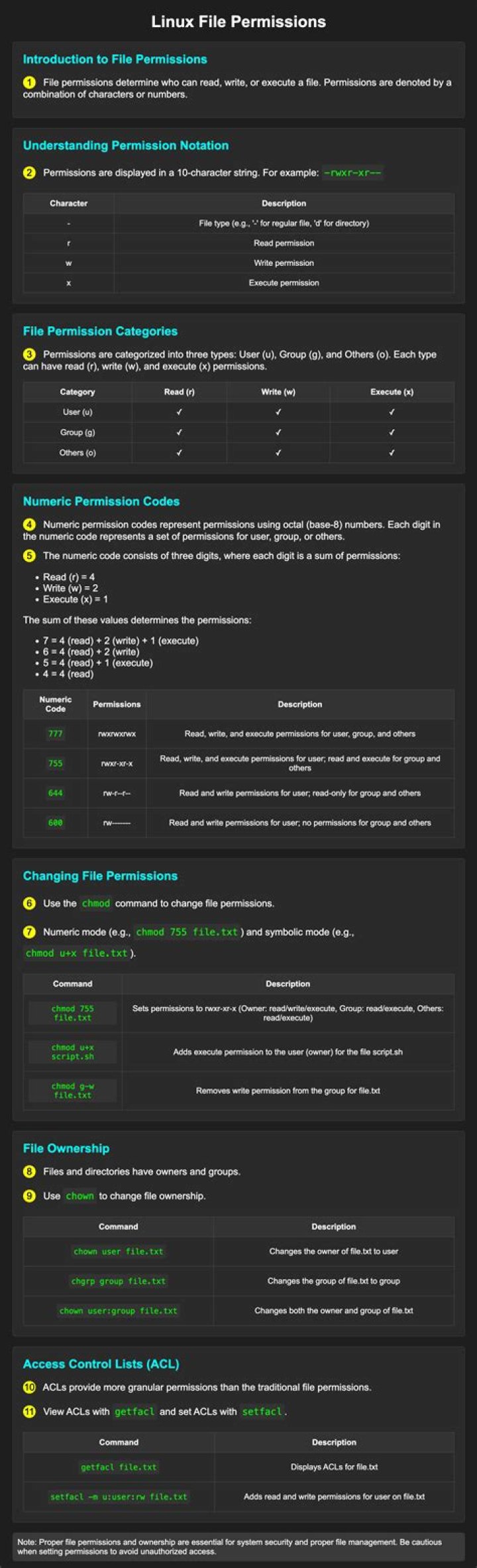
Here the permissions are dr-xr-xr-x 3 rayell pg1083760 4096 2010-10-10 10:00 . So nobody (other than root) can remove files inside this directory. The owner must use chmod first.
—
1. There are pretty good reasons for that. By ‘removing’ a file with rm, you are in fact trying to unlink it from the directory (hardlinked copies will not be deleted).
Another possible question is attribute
lsattr file This command will show you attribute of the file and a file with 'i' attribute cannot be modified (and be deleted)
so check your file's attribute and remove 'i' attribute if the attribute is been set
chattr -i file I had the same problem, and chmod alone didn't do the trick. I first had to change the owner (user and group) of the files I wanted to remove.
sudo chown -hR root:admin dir_to_delete Explanation:
sudo: make sure you have the proper rightschown: Linux command to change owner of a file-hR: change owner of directory and all subdirectories. I found it here.root: name of new useradmin: name of new group
I had already changed the modifiers to 777; I don't know if that was necessary or not.
1The reason is that the parent directory has chmod 705 or something like that. You can chmod the parent directory by the following command:
chmod -R 777 directory_name After this, you can remove that directory and the files it contains.
2Just for knowledge sake: I solved it using sudo editing the sudoers file:
Cmnd_Alias MOVE = /bin/mv, /bin/rm user ALL=(postgres) NOPASSWD:MOVE In the procedure the user does:sudo -u postgres rm /tmp/test.file