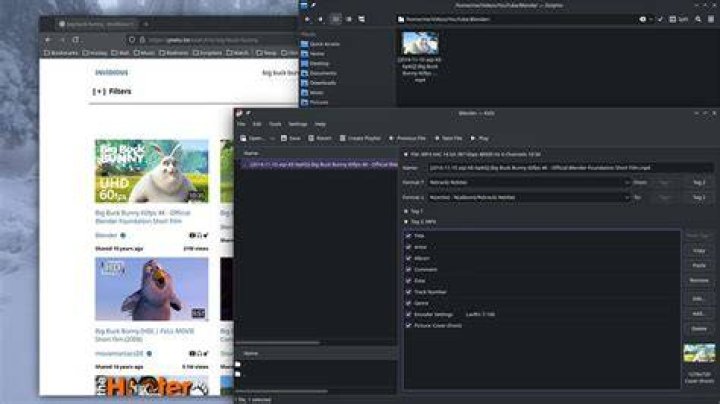
I have changed my Unity default file manager to Dolphin.
Problem: video thumbnails don't show up anymore.
In Nautilus the thumbnails are shown correctly.
How to make Dolphin show thumbnails?
4 Answers
Thumbnailer
To show thumbnails the Dolphin will need the thumbnail plug in.
Video thumbnailers for the Dolphin:
:~$ apt-cache show ffmpegthumbs Package: ffmpegthumbs Priority: optional Section: universe/kde ... Description: video thumbnail generator using ffmpeg FFMpegThumbs is a video thumbnail generator for KDE file managers like Dolphin and Konqueror. It enables them to show preview images of video files using FFMpeg. . This package is part of the KDE multimedia module. Homepage: .
:~$ apt-cache show mplayerthumbs Package: mplayerthumbs Priority: optional Section: universe/kde ... Description: video thumbnail generator using mplayer MPlayerThumbs is a video thumbnail generator for KDE file managers like Dolphin and Konqueror. It enables them to show preview images of video files using MPlayer. . This package is part of the KDE multimedia module. Homepage: .
:~$ apt-cache show kffmpegthumbnailer Package: kffmpegthumbnailer Priority: extra Section: universe/kde ... Description: video thumbnailer for KDE kffmpegthumbnailer is a video thumbnailer based on ffmpegthumbnailer. The thumbnailer uses ffmpeg to decode frames from the video files. Homepage: Settings
To use the thumbnail you need to enable the thumbnailer from the Dolphin settings.
In a terminal run
sudo apt install ffmpegthumbs mplayerthumbs kffmpegthumbnailer then... change in dolphin settings as says in user26687's answer... works for me kubuntu 14.04lts in laptop n4010 dell
1Now in Ubuntu 15.10 I needed another package for thumbnails to show:
sudo apt-get install kio-extras
- Install the following packages:
ffmpegthumbs mplayerthumbs kffmpegthumbnailer kio-extras - Restart Dolphin
- Settings > Configure Dolphin > General > Behavior > View > Use common properties for all folders, OK
- Press the "Preview" button